Ergonomic Home Office Furniture That Works Harder
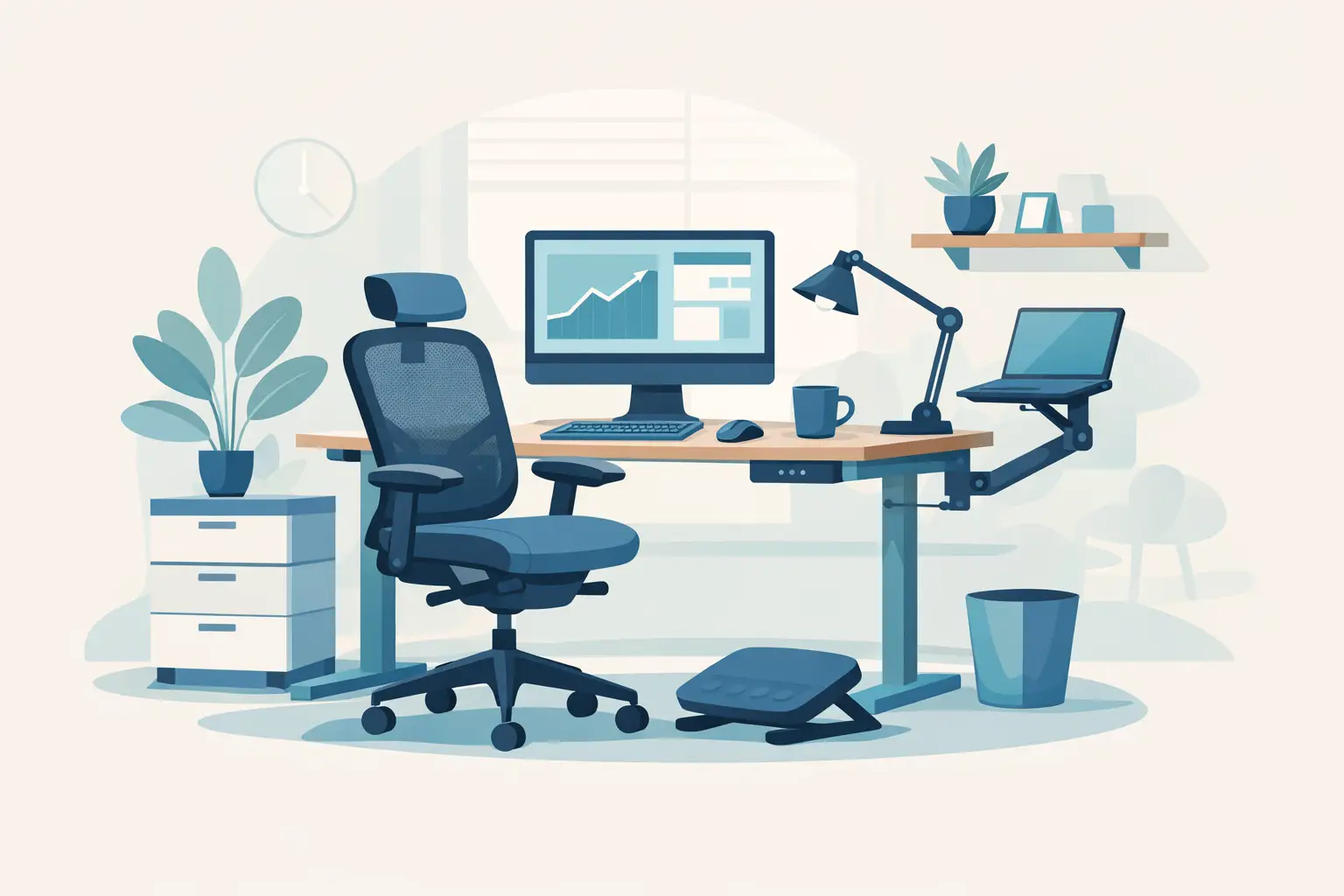
A beautiful workspace can still leave you shifting in your chair by 2 p.m., stretching a stiff neck between calls, or balancing a laptop on a surface that was never meant for a full workday. Ergonomic home office furniture changes that equation. The right pieces support how your body moves, create a more composed visual environment, and make the hours spent at home feel considered rather than improvised.
For design-conscious professionals, an ergonomic setup does not have to resemble a corporate cubicle. Today’s premium options pair adjustable performance with sculptural silhouettes, warm finishes, and thoughtful details that belong in a living room, bedroom, dedicated study, or polished apartment corner.
Start With the Chair, Not the Accessories
The desk chair carries the greatest responsibility in any home office. It supports your weight, influences your posture, and determines whether you can stay focused through a long presentation or planning session. A high-end ergonomic chair should feel tailored to you, not merely padded.
Look first for adjustable seat height, lumbar support, armrests, and recline tension. Seat depth matters as well: when seated fully back, there should be a small space between the front edge of the seat and the back of your knees. This helps reduce pressure on the legs while allowing the backrest to do its job.
Lumbar support is often discussed as a single feature, but the details matter. Fixed support can work for some people, especially if the chair’s contour happens to match their lower back. Adjustable lumbar support is a stronger choice for shared workspaces or anyone who spends extended periods seated. It allows the chair to meet the natural curve of your spine rather than asking your body to adapt to the chair.
Material is a practical style decision. Breathable mesh can be especially comfortable in warmer rooms and offers a lighter, more contemporary look. Upholstered fabric brings softness and a residential feel, while leather or premium vegan leather can create a more executive presence. The trade-off is heat retention and maintenance. Choose the finish that suits both your climate and the rest of the room, not just the product photo.
Ergonomic Home Office Furniture Begins at Desk Height
A desk that looks substantial but sits too high or too low can undermine an otherwise excellent chair. Your elbows should generally rest around a 90-degree angle when you type, with shoulders relaxed rather than lifted. For many adults, that means a standard fixed-height desk may be close, but not perfect.
A height-adjustable desk offers the most flexibility. It can accommodate different chairs, different users, and the welcome change of standing for part of the day. Standing is not a cure for poor posture, and it should not replace sitting all day. Its real value is movement. Alternating positions can reduce the static strain that builds when you stay in one posture for too long.
For a refined home, consider the visual weight of an adjustable desk before making it the centerpiece. Some models emphasize technology, while others use cleaner frames, wood-look tops, understated controls, and cable management to blend into a sophisticated interior. If your office is visible from a main living area, a streamlined desk with concealed wiring can preserve the room’s calm, elevated feel.
A fixed desk remains a smart choice when the space is limited, the work is occasional, or you prefer furniture with the permanence of a console or writing table. Pair it with a properly adjustable chair and monitor setup. Ergonomics is not an all-or-nothing purchase. A few well-matched decisions often outperform a room filled with disconnected accessories.
Measure the Work, Not Just the Room
Before choosing a desk, measure the equipment that has to live on it. A laptop-only setup has very different needs from a dual-monitor workstation with speakers, a printer, notebooks, charging devices, and client materials.
Depth is frequently overlooked. A shallow desk may fit neatly along a wall, but it can force a monitor too close to your eyes or leave no space for a keyboard and writing surface. For desktop monitors, more depth generally creates a more comfortable viewing distance. If space is tight, a monitor arm can free the desktop and allow more precise positioning.
Width should support your natural workflow. If you regularly spread out samples, sketchbooks, or paperwork, a compact desk can feel restrictive no matter how polished it looks. Conversely, an oversized desk can overpower a small room and invite clutter. Aim for enough surface area to work with ease, then add storage that keeps essentials accessible without filling every inch of the top.
Position Screens for Comfort and Clarity
Your screen setup is furniture-adjacent, but it has a major impact on how ergonomic the entire office feels. The top of a monitor should typically sit at or slightly below eye level, with the screen roughly an arm’s length away. The ideal position varies with screen size, vision needs, and personal comfort, so use these as starting points rather than rigid rules.
Laptop users often make the same compromise: the keyboard is at a comfortable height, but the screen is too low. A laptop stand paired with an external keyboard and mouse resolves this quickly. It also makes a modest desk feel more intentional, especially when the stand, peripherals, and desk accessories share a cohesive finish.
For dual monitors, place the primary display directly in front of you. If both screens receive equal use, position them in a slight curve so you are not repeatedly twisting your neck. This is one of those small adjustments that pays off over weeks of concentrated work.
Storage Should Reduce Reach and Visual Noise
Premium ergonomic home office furniture includes more than a chair and desk. Storage determines how often you twist, bend, reach, and interrupt your focus. It also determines whether your workspace reads as a curated interior or a holding zone for cables and paperwork.
Keep the items used every day within easy reach: pens, charging cables, headphones, notebooks, and files in active rotation. Place less frequently used supplies in drawers, cabinets, or a credenza. A mobile file cabinet can offer flexibility, but a low cabinet or sideboard often feels more residential and can provide a useful landing surface for a lamp, art, or a printer kept out of direct sight.
Open shelving can look exceptional when it is edited. Use it for a limited number of books, objects, and neatly contained supplies. If your work involves many small tools or documents, closed storage will usually deliver a more luxurious result with less effort.
Finish the Space With Purposeful Comfort
The best workspaces support concentration without feeling sterile. Lighting, floor support, and a few thoughtful accessories make a meaningful difference.
Place task lighting on the side opposite your writing hand to reduce shadows. A dimmable desk lamp gives you control throughout the day and adds warmth after dark, when overhead lighting can feel harsh. If you work near a window, position the desk perpendicular to it when possible. This can reduce direct glare while still giving you the benefit of daylight.
A footrest is worth considering if your feet do not rest comfortably on the floor once your chair is adjusted to the right desk height. For standing desks, an anti-fatigue mat can make short standing sessions more comfortable. Neither item needs to dominate the room. Select understated finishes and tuck them into the layout as functional details, not clutter.
Do not underestimate cable management. Visible cords can make even expensive furniture appear unfinished. Integrated cable trays, desk grommets, and concealed power solutions protect the clean lines that make a home office feel deliberate.
Choose for Your Actual Routine
There is no single ideal office arrangement. A creative professional who moves between sketching, video calls, and editing may benefit from a broad sit-stand desk and flexible monitor arm. Someone handling focused administrative work may prefer a compact writing desk, a superior ergonomic chair, and quiet closed storage. A guest room office may need pieces that perform beautifully during the workweek and still feel welcoming on the weekend.
Start with the discomfort or inefficiency you notice most often. If your lower back aches, prioritize chair adjustment. If you lose focus in a crowded workspace, improve desk dimensions and storage. If your office intrudes on your living space, choose finishes and silhouettes that complement the home rather than competing with it.
The most successful office is not the one with the most equipment. It is the one that makes work feel lighter, your space feel more polished, and the end of the day arrive without the reminder of a chair that never quite fit.









Leave a comment